
1. 아키텍처 선택 이유
Laravel + Vue를 사용할 때 세 가지 방식이 있습니다:
- SPA (Single Page App): Vue Router + API 서버. 팀 규모가 크고 프론트/백 분리 시 적합.
- Inertia.js: 서버 라우팅 유지하면서 Vue 컴포넌트 사용. 중간 복잡도의 앱에 적합.
- Blade 인라인 Vue: Blade 파일 안에
<script>로 Vue 앱 직접 마운트. 소규모 팀, 빠른 개발 속도 우선 시 적합.
동지커뮤니케이션은 Blade 인라인 방식을 채택합니다. 별도 컴포넌트 파일 관리 없이 Blade가 HTML 구조를 담당하고, 상호작용이 필요한 부분에만 Vue 앱을 마운트합니다.
2. 기본 마운트 패턴
{{-- showcase/index.blade.php --}}
<div id="showcase-app">
    <div class="filter-tabs">
        <button :class="{ 'is-active': filter === '' }" @click="filter = ''">전체</button>
        <button v-for="cat in categories" :key="cat" @click="filter = cat"
                :class="{ 'is-active': filter === cat }">@{{ cat }}</button>
    </div>

    <div class="showcase-grid">
        <a v-for="item in filtered" :href="item.detail_url" class="showcase-card">
            <h3>@{{ item.title }}</h3>
        </a>
    </div>
</div>

@push('scripts')
<script>
Vue.createApp({
    data() {
        return {
            items: @json($showcase_items),  // PHP → JS 데이터 주입
            filter: '',
        };
    },
    computed: {
        categories() {
            return [...new Set(this.items.map(i => i.category))];
        },
        filtered() {
            return this.filter ? this.items.filter(i => i.category === this.filter) : this.items;
        }
    }
}).mount('#showcase-app');
</script>
@endpush
3. PHP 데이터를 Vue에 안전하게 전달
// PageController.php — 반드시 plain array로 변환
$showcase_items = $rows->map(function ($p) {
    return [
        'id'         => (int)$p->id,
        'slug'       => (string)($p->slug ?? ''),
        'title'      => (string)($p->title ?? ''),
        'category'   => (string)($p->category ?? ''),
        'technologies' => json_decode($p->technologies ?? '[]', true) ?: [],
        'detail_url' => route('showcase.detail', $p->slug),
    ];
})->values()->all();  // values()->all() 로 stdClass → array 변환

// Blade에서 출력
const showcase_data = @json($showcase_items);
// 주의: stdClass 객체를 그대로 전달하면 JavaScript에서 파싱 오류 발생 가능
4. Blade @ 충돌 방지
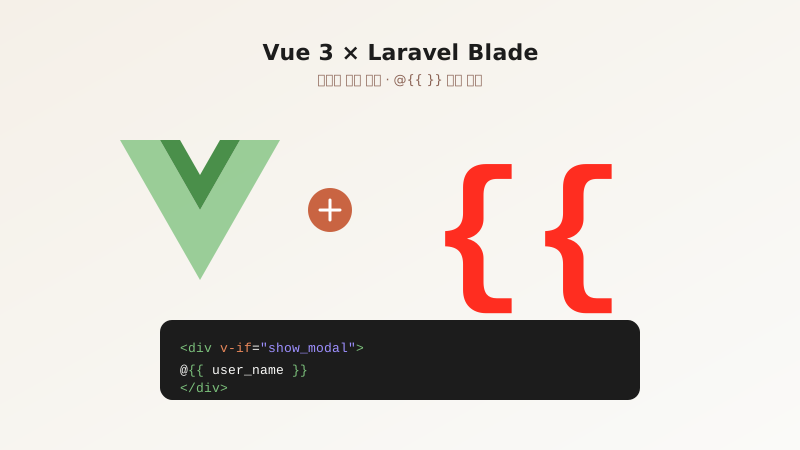
Blade는 {{ }}를 PHP 출력으로 파싱합니다. Vue 템플릿 문법과 충돌하므로 @{{ }}를 사용합니다.
{{-- ❌ Blade가 처리하려 해서 에러 --}}
<span>{{ item.title }}</span>

{{-- ✅ @ 접두사로 Blade가 무시하게 함 --}}
<span>@{{ item.title }}</span>

{{-- v-bind, v-model 등 디렉티브는 그대로 사용 가능 --}}
<input :placeholder="placeholder_text" v-model="search_query">

{{-- PHP 값 출력은 @json() 사용 --}}
data: @json($php_variable)
5. API 호출 패턴
// layouts/app.blade.php 전역 헬퍼
function get_csrf() {
    return document.querySelector('meta[name="csrf-token"]')?.content || '';
}

async function api_post(url, data) {
    const res = await fetch(url, {
        method: 'POST',
        headers: {
            'Content-Type': 'application/json',
            'X-CSRF-TOKEN': get_csrf(),
        },
        body: JSON.stringify(data),
    });
    return res.json();
}

// Vue 컴포넌트에서 사용
methods: {
    async save_item() {
        this.loading = true;
        const res = await api_post('/api/posts/save', {
            id: this.item_id,
            title: this.title,
        });
        if (res.success) show_toast('저장되었습니다.');
        this.loading = false;
    }
}
6. 실무 예시: 필터 테이블
<div id="posts-table">
    <!-- 검색 -->
    <input v-model="search" placeholder="검색..." class="form-input">

    <!-- 테이블 -->
    <table>
        <tbody>
            <tr v-for="post in filtered_posts" :key="post.id">
                <td>@{{ post.title }}</td>
                <td><span :class="'badge-' + post.status">@{{ post.status }}</span></td>
                <td>
                    <button @click="delete_post(post.id)">삭제</button>
                </td>
            </tr>
        </tbody>
    </table>
</div>

<script>
Vue.createApp({
    data() {
        return {
            posts: @json($posts->values()->all()),
            search: '',
        };
    },
    computed: {
        filtered_posts() {
            if (!this.search) return this.posts;
            const q = this.search.toLowerCase();
            return this.posts.filter(p => p.title.toLowerCase().includes(q));
        }
    },
    methods: {
        async delete_post(id) {
            if (!confirm('삭제할까요?')) return;
            const res = await api_post('/api/posts/delete/' + id, {});
            if (res.success) this.posts = this.posts.filter(p => p.id !== id);
        }
    }
}).mount('#posts-table');
</script>